

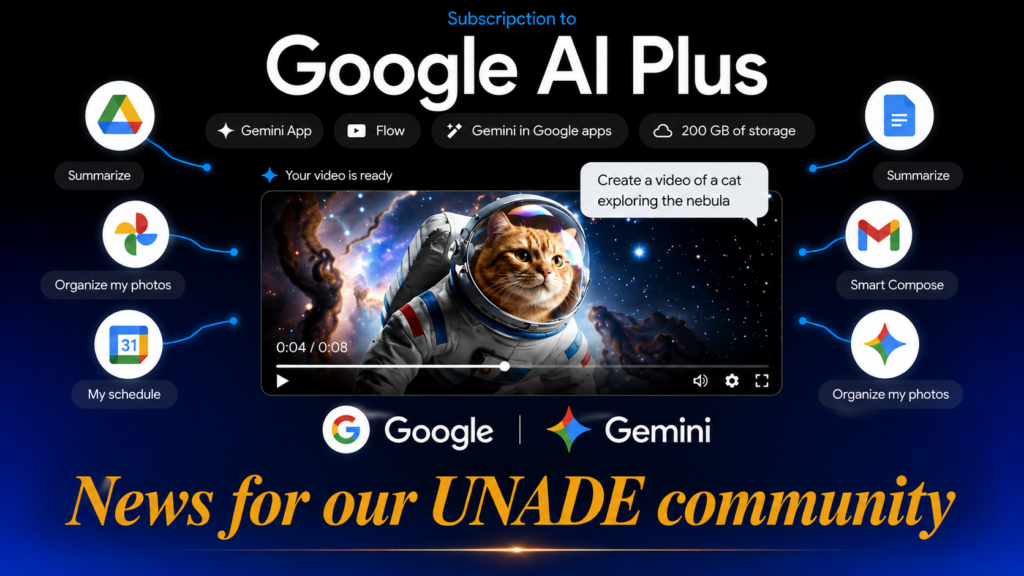
Google AI Plus free for students for one year
Google gives away a year of Google AI Plus: how to get Advanced Gemini and 400 GB for free
The benefit is activated through the Gemini student portal, where eligibility is confirmed using an institutional email address or proof of enrollment. Following verification, 12 months of the plan are enabled at no cost.
With the start of the academic year, access to advanced artificial intelligence tools has shifted from a luxury to a decisive competitive advantage for conducting research, organizing study schedules, and optimizing research papers. For most university students, the main barrier is not a lack of interest, but the cost of premium subscriptions.
Google has removed this barrier for a year for millions of university students globally. The promotion, confirmed through the company’s official channel, is enabled in Spain, Mexico, and most Latin American countries (excluding Bolivia), at a time when AI is redefining academic productivity.
| This is not a limited few-day trial. It is a full year of access to tools that would otherwise cost between $60 and $240 annually. |
WHAT GOOGLE AI PLUS FOR STUDENTS INCLUDES
Advanced capabilities beyond extra storage
For students outside the United States, the Google AI Plus plan includes:
| 📦 400 GB of cloud storage: Expanded space shared across Google Drive, Google Photos, and Gmail. | ⚡ Expanded usage limits in Gemini: Higher operating capacity to prevent interruptions when processing extensive documents, databases, or complex queries during theses and final projects. |
| 🎨 Nano Banana Pro: High-resolution visual content generation with up to 50 daily images in 4K quality. | 🎬 Veo 3.1 + Google Flow: Monthly allocation of 200 credits for AI video generation and editing, aimed at presentations and multimedia projects. |
| 📊 Workspace ecosystem integration: Analysis, data visualization, and organization tools linked to Docs, Sheets, and Gmail. |
To access any of these benefits, it is essential to validate active student status, typically using an institutional email address or an official proof of enrollment.
COMPARISON: UNITED STATES VS. REST OF THE WORLD
Features vary depending on the user’s geographical region
| Feature | United States (Google AI Pro) | Spain, Latin America and +140 countries (Google AI Plus) |
| Cloud storage | 5 TB | 400 GB |
| Integrated AI models | Gemini Spark, 3.1 Pro and Deep Research | Gemini 3.1 Pro and Deep Research |
| Image / video generation | Nano Banana Pro + Veo 3.1 / Flow | Nano Banana Pro (50 img/day) + Veo 3.1 (200 credits/month) |
| Additional services | Google Health Premium included | Optional 70% discount on YouTube Premium |
Territorial note: The promotion temporarily excludes Albania, Bolivia, Canada, Hong Kong, Macau, and Tunisia.
HOW TO ACTIVATE THE FREE YEAR: A STEP-BY-STEP PLAN
A five-minute process, with verification along the way
| 1️⃣Portal access: Ingresa en gemini.google.com/students
with your personal Google account. Verify your eligibility: you must be enrolled in a recognized university or higher education institution and reside in a country where the promotion is active. |
2️⃣Offer selection: Choose the educational plan corresponding to your country to begin validation. |
| 3️⃣ Validate your student status: Google will request an institutional email address or proof of enrollment. Confirm your student status via SheerID, an institutional email (.edu or approved university domain), or by attaching your current proof of enrollment. | 4️⃣ Activate your plan: Once confirmed, access to Google AI Plus is enabled for 12 full months. Add a valid payment method (a registration requirement, with no charge during the promotional year). |
| 5️⃣Benefit confirmation: Once the request is approved, access becomes active immediately for 365 days. |
The offer can be redeemed until December 31, 2026.
The fine print you shouldn’t ignore: After the free 12 months, the plan automatically renews at the standard price unless canceled beforehand. Mark it on your calendar: it is the only step in the entire process that depends entirely on you.
KEY TOOLS FOR THE ACADEMIC YEAR
What Google has specifically designed for studying
🗂 Gemini Student Center: A single portal to organize notebooks, flashcards, quizzes, and key dates, synced directly with Google Calendar.
📚 Study Notebooks: Allow uploading lecture notes and class materials for Gemini to break down topics, create diagnostic tests, and generate personalized lessons with a real-time progress dashboard.
🧩 Diagnostic Quizzes: Identify what you have mastered and where you need reinforcement.
🧊 Interactive Visualizations: From 3D simulations to dynamic tables, designed to visually understand complex concepts.
🔍 Gemini Live with Deep Research: Generates comprehensive reports on a topic and allows you to discuss them with Gemini, even while multitasking.
📊 Progress Dashboard: Visual tracking of your advancement in each topic.
🗂 Integrated Flashcards & Exam Practice: Built right into the app.
Google has already announced that it will soon add graphs and images to lessons, along with the ability to automatically extract exam dates from course syllabi.
THE QUESTION THAT IS WORTH MORE THAN ANY COMPARISON
Is it worth activating, even if I’m not going to use all the AI features?
Yes, and for a simple reason: even if your primary interest is just the cloud storage—400 GB or 5 TB, depending on your country—it already justifies activating it, as there is no cost or commitment during the first year. The only thing it requires is setting a reminder to cancel on time if you decide not to continue.

WHY GOOGLE IS GIVING ALL THIS AWAY TO STUDENTS.
The strategy behind the promotion
The initiative seeks to position Google as a benchmark in the educational use of artificial intelligence, at a time of direct competition with other platforms such as ChatGPT and Claude. By offering extra storage and premium tools free of charge for a year, the company reinforces its ecosystem—Drive, Photos, Gmail, Calendar—and bets that the usage habit will persist once the promotional period ends.
For the student, the practical takeaway is simpler: it is an opportunity to experience the potential of an advanced AI assistant and gain access to resources—4K image generation, video creation, deep research—that were previously reserved for paying subscribers.
The best way to take advantage of this offer is not to use every feature from day one. It is to activate it now and discover, as the academic year progresses, which ones are truly useful to you.
The concrete next step: The promotion is subject to regional availability and eligibility validation, so it is best to register as soon as possible. The entire process takes no more than five minutes, and verification is automatic in most cases.
AI is no longer an option: it is a professional skill. Train in an environment that prepares you to use it with judgment, not just because it’s a trend. Explore our master’s and doctoral programs.
Author
Dr. Ruth Gómez
Journalist, political scientist expert in human behavior specialized in communication.
Academic creative and strategic advisor for doctoral education campaigns.
Universidad Americana de Europa (UNADE)
This article is part of UNADE AL DÍA, an academic outreach initiative by the Universidad Americana de Europa designed to analyze the trends transforming higher education, employability, and professional leadership in a global context.